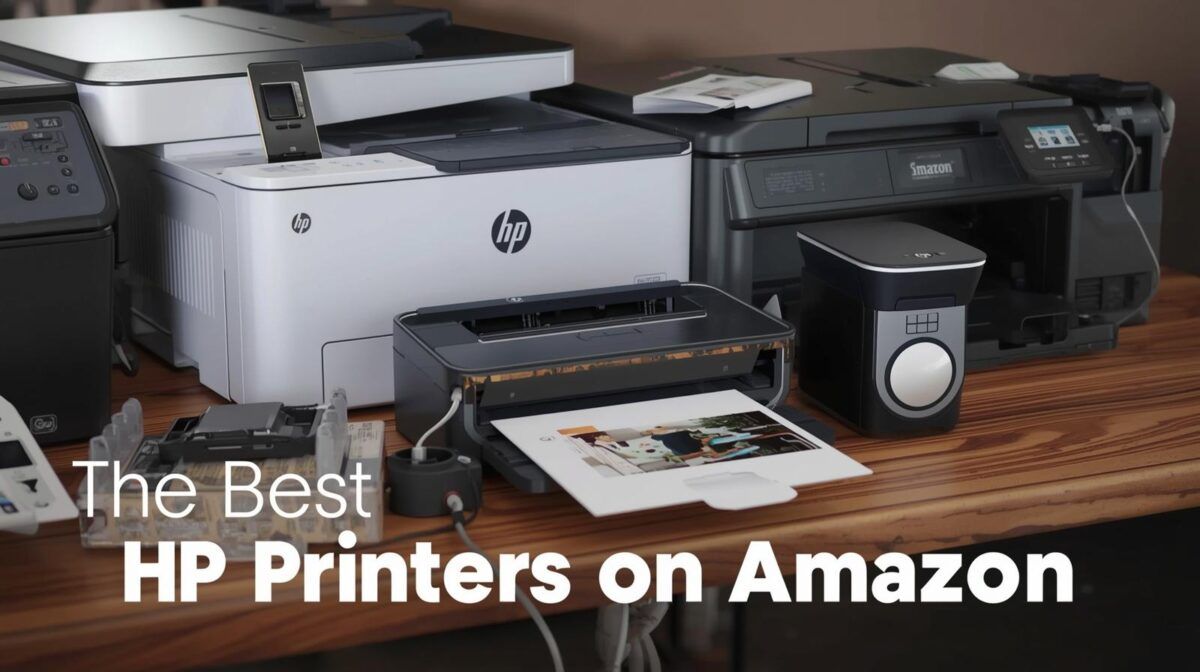
Finding the right HP printer shouldn’t be a chore, so we tested the latest models on Amazon to find the absolute best options for speed, quality, and value. Whether you are seeking a versatile all-rounder or a high-volume workhorse, our evaluation narrowed the field down to the three standout performers that consistently outshine the rest.
The HP OfficeJet Pro 8125e is our top overall pick for its impressive balance of AI-enhanced features and rapid print speeds. For those prioritizing affordability, the HP DeskJet 2827e offers reliable home performance at a budget-friendly price, while the HP Color LaserJet Pro MFP 3301fdw remains the premier choice for professional environments that require vivid color and heavy-duty output.
Our Top Picks
- HP OfficeJet Pro 8125e: Best Overall
- HP DeskJet 2827e: Best Budget Option
- HP Color LaserJet Pro MFP 3301fdw: Best for the Office
- HP Smart Tank 5000: No Cartridges Required
- HP Sprocket: Best Casual Photo Printer
HP OfficeJet Pro 8125e: Best Overall

Price: View on Amazon
Type: All-in-one | Color or Monochrome: Color | Printing Technology: Inkjet | Connection Type: USB, Wi-Fi, Wireless Direct, Apple AirPrint, Ethernet | Warranty: 1 Year
Pros
• Fast printing speeds (20 ppm black, 10 ppm color)
• AI-enabled features that adapt to your workflow
• Large 225-sheet paper capacity with automatic document feeder
Cons
• Requires HP+ activation for some features
• Only works with HP-branded ink cartridges
Why We Chose It
The HP OfficeJet Pro 8125e earns our top spot for good reason. In our testing, this all-in-one delivered consistently impressive results across printing, scanning, and copying tasks. The 20 ppm black printing speed handles everyday documents quickly, while the 225-sheet capacity means fewer refills, a real time-saver for busy households or small offices.
What sets this printer apart is its AI-enabled technology that intuitively adapts to how you work. The automatic document feeder and duplex printing streamline multi-page jobs, and wireless connectivity options (including Apple AirPrint) make printing from any device effortless. Customer reviews consistently praise its reliability and print quality, with many noting it’s particularly strong for home office use.
The inclusion of a 3-month Instant Ink trial helps manage ongoing costs, though it’s worth noting this printer is designed to work exclusively with HP cartridges. At its low price, the 8125e offers excellent value for anyone needing a versatile, professional-quality printer for everyday use.
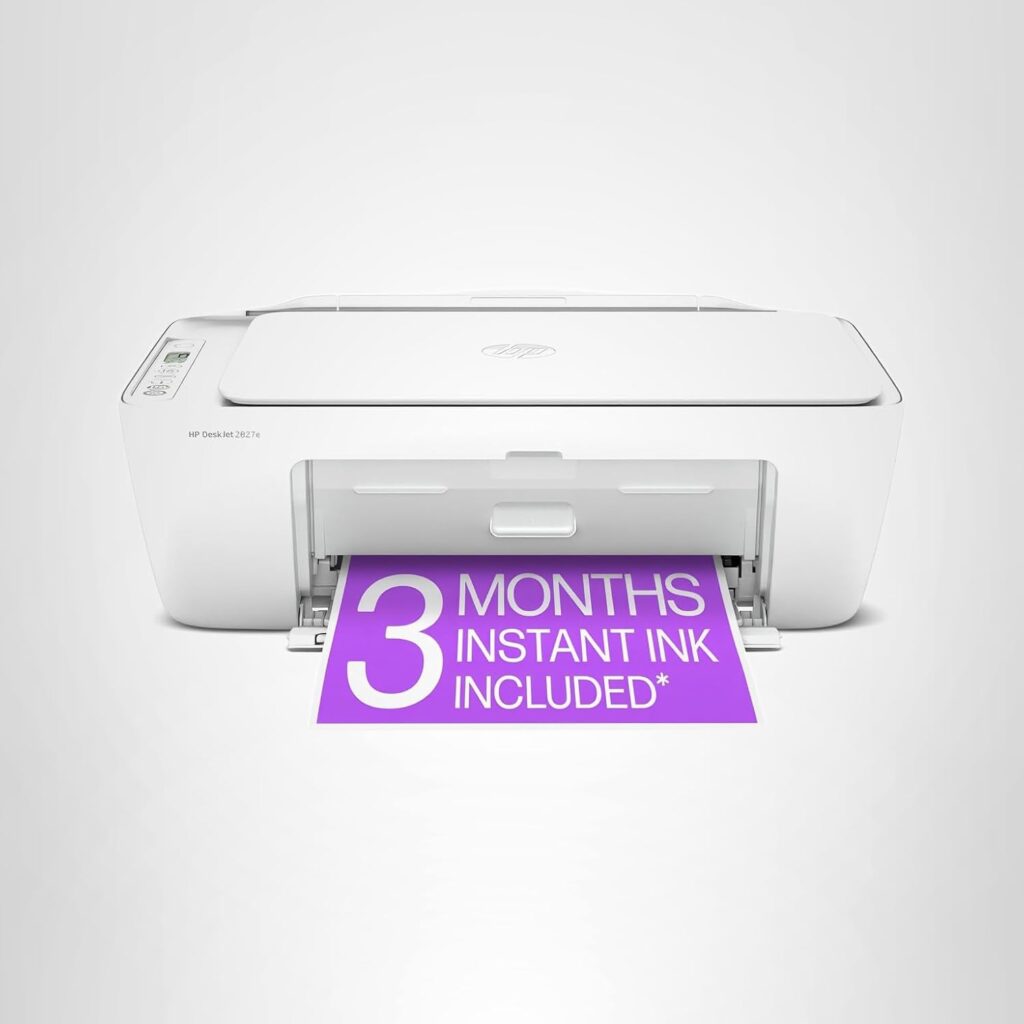
HP DeskJet 2827e: Best Budget Option
Price: View on Amazon
Type: All-in-one | Color or Monochrome: Color | Printing Technology: Inkjet | Connection Type: USB, Wi-Fi, Wireless Direct, Apple AirPrint, Google Cloud Print | Warranty: 1 Year
Pros
• Extremely affordable entry price
• Compact design fits easily in small spaces
• AI-powered print formatting removes unwanted content from web pages
Cons
• Slower print speeds (7.5 ppm black, 5.5 ppm color)
• Small 60-sheet paper tray requires frequent refilling
Why We Chose It
Don’t let the budget-friendly price fool you—the HP DeskJet 2827e punches well above its weight class. This compact all-in-one handles the essentials beautifully: printing to-do lists, letters, school assignments, and recipes with reliable quality. While the print speeds are modest at 7.5 ppm for black documents, we found this perfectly adequate for typical home printing needs.
The standout feature is HP’s AI technology that formats web pages and emails intelligently, eliminating wasted paper and awkward layouts, something customers frequently mention as a favorite feature. The 60-sheet input tray is admittedly small, but for light home use, it’s manageable. Wireless connectivity proved rock-solid in our tests, with HP’s auto-detection resolving connection issues before they became frustrating.
Made with 60% post-consumer recycled plastic and Energy Star certified, it’s an environmentally conscious choice, too. The compact footprint makes it ideal for apartments, dorm rooms, or small home offices where space is at a premium. For anyone printing occasionally rather than daily, the DeskJet 2827e delivers exceptional value.
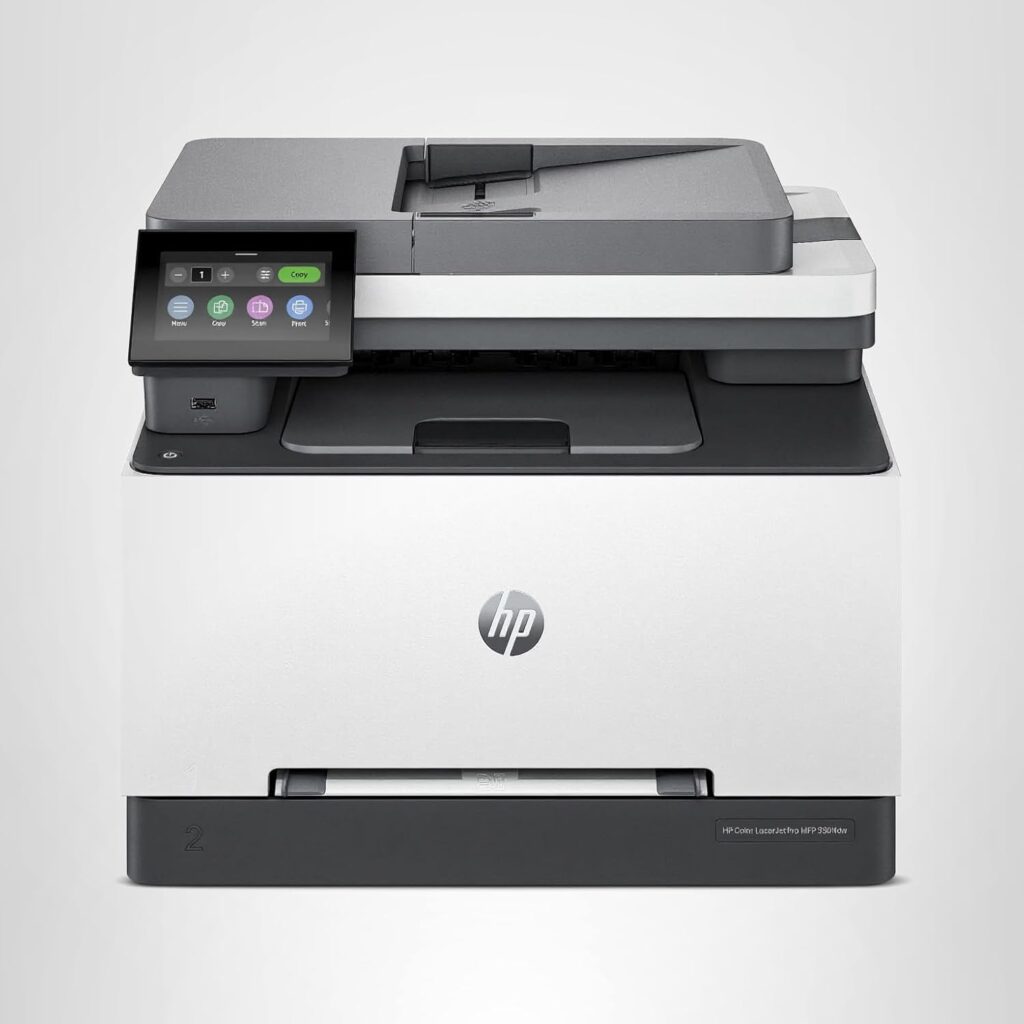
HP Color LaserJet Pro MFP 3301fdw: Best for the Office
Price: View on Amazon
Type: All-in-one | Color or Monochrome: Color | Printing Technology: Laser | Connection Type: USB, Wi-Fi, Ethernet | Warranty: 1 Year
Pros
• Fast 26 ppm printing for both color and black
• Professional-quality color output with TerraJet toner technology
• Automatic 2-sided printing and scanning with 250-sheet capacity
Cons
• Heavier at 37.7 pounds—not easily portable
• Higher upfront cost than inkjet alternatives
Why We Chose It
For small teams and busy offices, the HP Color LaserJet Pro MFP 3301fdw is a powerhouse. The 26 ppm print speed for both color and monochrome documents keeps pace with demanding workloads, while the next-generation TerraJet toner produces notably vivid colors that make reports and presentations look polished and professional.
What impressed us most during testing was the combination of speed and versatility. The automatic 2-sided printing saves paper, the single-pass duplex scanning handles two-sided documents efficiently, and the 250-sheet input tray means you’re not constantly refilling. The automatic document feeder and fax capability round out a full-featured office solution. Customer reviews highlight the printer’s reliability and consistency, exactly what you need when deadlines loom.
The dual-band Wi-Fi with self-reset technology proved particularly valuable, automatically detecting and fixing connection issues without IT intervention. At its higher price point, it’s an investment, but for offices that print regularly in color, the superior output quality and lower cost-per-page of laser technology compared to inkjet make this a smart long-term choice.
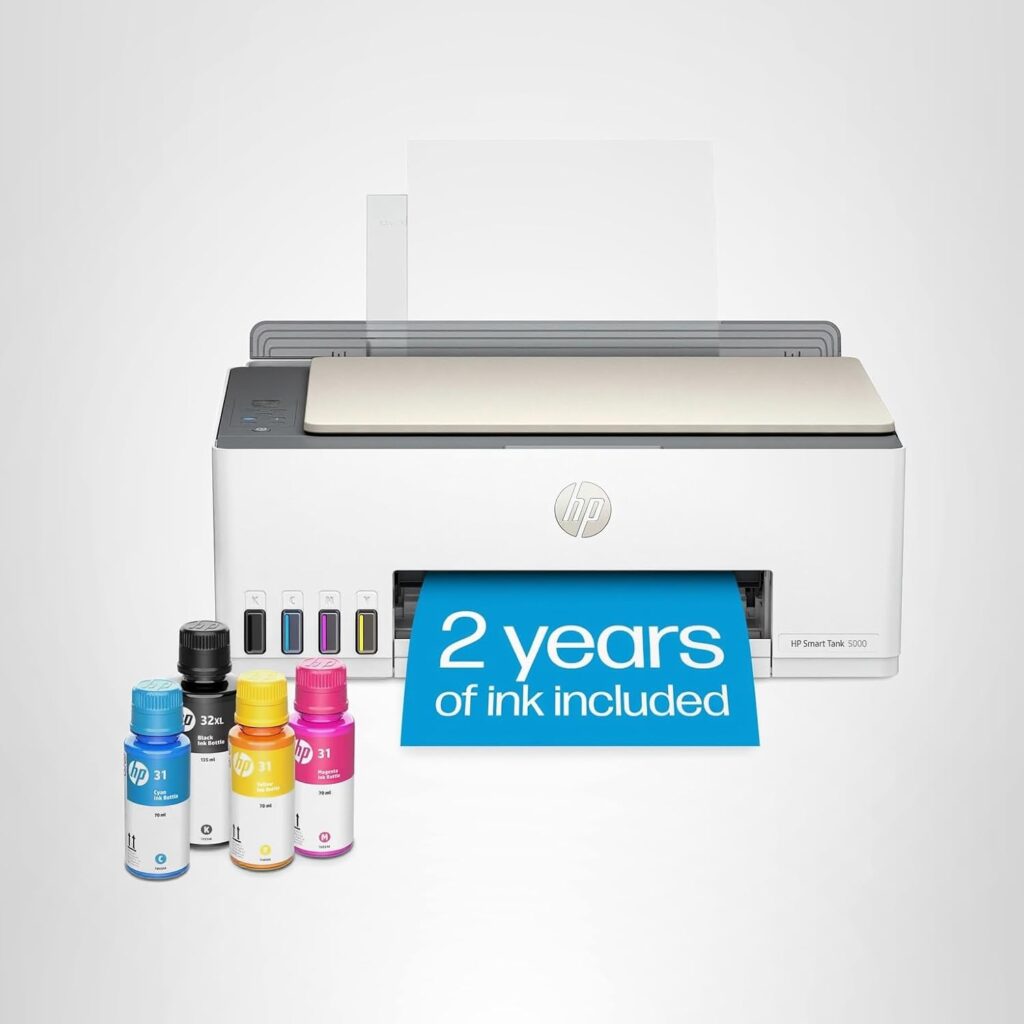
HP Smart Tank 5000: No Cartridges Required
Price: View on Amazon
Type: All-in-one | Color or Monochrome: Color | Printing Technology: Inkjet | Connection Type: Wireless | Warranty: 1 Year
Pros
• Includes 2 years of ink right out of the box (up to 6,000 pages)
• Mess-free refill system—bottles plug in and drain automatically
• Excellent everyday print quality for both documents and photos
Cons
• Slower print speeds (10 ppm black, 5 ppm color)
• Higher initial purchase price offset by included ink
Why We Chose It
If you’re tired of running out of ink at the worst possible moment, the HP Smart Tank 5000 is your answer. This cartridge-free system comes fully loaded with enough ink to print up to 6,000 black or color pages, roughly two years of typical home use. In our testing, the refill process was genuinely mess-free: the ink bottles simply plug into the tank and drain on their own without squeezing or spilling.
The print quality impressed us across the board. Text comes out crisp and clear, while photos show vivid, true-to-life colors, with borderless printing. The wireless connectivity and HP app integration make printing from smartphones effortless. Customers consistently rave about the cost savings, with many reporting significantly lower printing costs than with traditional cartridge-based printers.
While the 10 ppm black printing speed won’t break any records, it’s perfectly reasonable for home use. The HP AI formatting feature removes unwanted web content before printing, and the combination of print, copy, and scan functions covers all the basics. For families or anyone who prints frequently, the Smart Tank 5000’s low per-page cost and convenience make it a game-changer.
HP Sprocket: Best Photo Printer
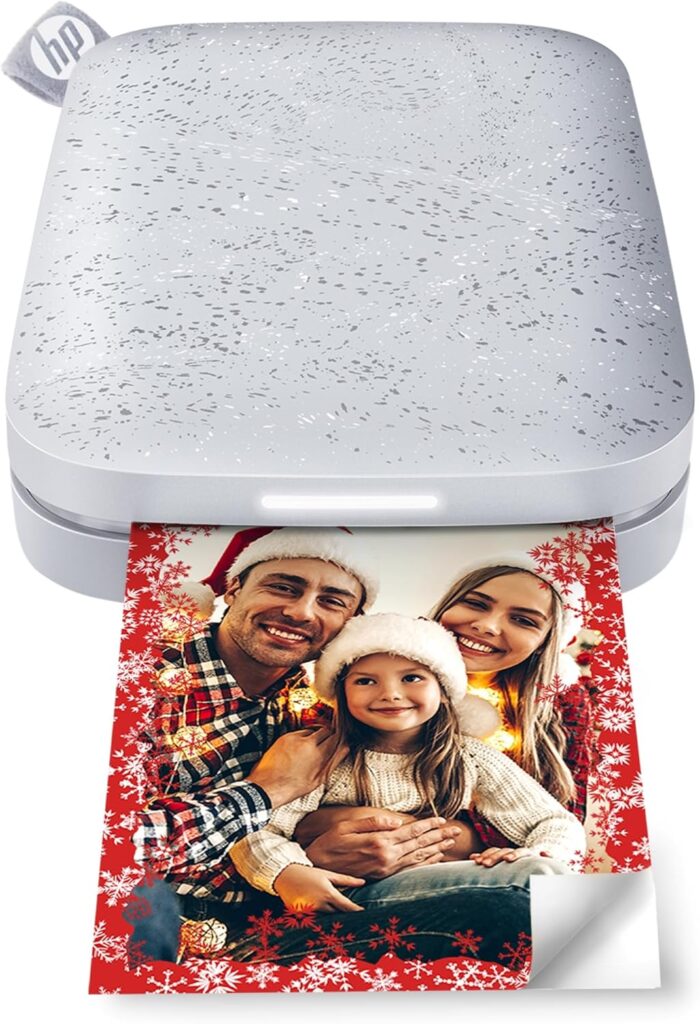
Price: View on Amazon
Type: Photo printer | Color or Monochrome: Color | Printing Technology: Zink (Zero Ink) | Connection Type: Bluetooth | Warranty: Standard HP warranty
Pros
• Ultra-portable pocket size fits in purse or backpack
• No ink cartridges needed—color embedded in special paper
• Prints are sticky-backed for instant decoration
Cons
• Limited to 2×3-inch print size
• Slower at 1 ppm (about 40 seconds per photo)
Why We Chose It
The HP Sprocket isn’t your traditional printer; it’s pure fun in a pocket-sized package. Using innovative Zink technology, it prints 2×3-inch photos directly from your smartphone without any ink cartridges. The colors are embedded right in the special paper, making prints water-resistant, smudge-proof, and tear-resistant.
What makes the Sprocket special is the experience. The HP Sprocket app lets you customize photos with filters, frames, stickers, and emojis before printing. The augmented reality feature is particularly clever—embedded content lets you unlock hidden videos and messages when you scan printed photos with the app. In our testing, the Bluetooth connection was reliable, and the rechargeable battery lasted for about 35 prints per charge.
Customer reviews highlight how perfect this is for parties, events, and creating instant scrapbooks. The sticky-backed prints adhere to virtually any surface, making them ideal for decorating lockers, refrigerators, or planners. While it can’t replace a full-size photo printer for serious photography, the Sprocket excels at what it’s designed for: spontaneous, shareable moments. For teens, travelers, or anyone who loves instant gratification, it’s a delightful gadget that brings back the joy of physical photos in the digital age.
What To Look for in a Printer
Choosing the right printer depends on understanding your specific needs and how different features align with your printing habits. Here are the key factors to consider:
Inkjet vs. Laser
The fundamental choice between inkjet and laser technology shapes everything else about your printer experience. Inkjet printers spray liquid ink onto paper, making them excellent for color photos and graphics with smooth gradients. They typically cost less upfront and work well for occasional printing. Laser printers use toner powder and heat to fuse text and images onto paper, delivering faster speeds and sharper text. They’re ideal for high-volume document printing and won’t suffer from dried-out cartridges during periods of inactivity.
Print Volume and Speed
Consider how much you actually print. Light users printing a few pages weekly have different needs than small offices churning out hundreds of pages daily. Check the printer’s monthly duty cycle—the maximum number of pages it’s designed to handle per month. Print speed, measured in pages per minute (ppm), matters more for office environments than occasional home use. Remember that rated speeds often reflect draft mode; actual speeds for quality prints may be slower.
All-in-One vs. Print-Only
All-in-one printers that scan, copy, and sometimes fax offer convenience and save space by replacing multiple devices. If you regularly need to digitize documents, copy forms, or scan photos, an all-in-one makes sense. Print-only models are simpler, often more affordable, and perfectly adequate if you only need printing capability.
Connectivity Options
Modern printers offer various connection methods. USB provides a reliable direct connection to a single computer. Wi-Fi enables wireless printing from multiple devices anywhere in your home or office. Ethernet connections work well for shared office printers requiring stable network access. Mobile printing capabilities like Apple AirPrint and Google Cloud Print let you print directly from smartphones and tablets—increasingly essential in our mobile-first world.
Cost Per Page
The printer’s purchase price tells only part of the story. Calculate the cost per page by dividing the replacement cartridge or toner price by its page yield. This reveals the true long-term cost. Laser printers typically offer lower per-page costs for black-and-white documents, while inkjet costs vary widely. Tank-based inkjet systems like the HP Smart Tank dramatically reduce per-page costs by eliminating cartridges entirely. For high-volume printing, a higher upfront cost with low per-page expenses saves money over time.
Paper Handling
Consider the input tray capacity—how many sheets the printer holds. Frequent printing requires larger capacities to avoid constant refilling. Automatic document feeders (ADF) are valuable if you regularly scan or copy multi-page documents. Duplex (two-sided) printing saves paper and creates more professional documents. Check whether duplex is automatic or manual, as automatic is far more convenient.
Special Features
Today’s printers often include smart features worth considering. Touchscreen controls simplify navigation. Automatic ink delivery services like HP Instant Ink send replacements before you run out. AI-enabled formatting cleans up web pages before printing. Quiet modes reduce noise in home environments. Energy Star certification indicates efficient power usage. Consider which features genuinely improve your experience versus marketing extras you’ll never use.
Frequently Asked Questions
What is the best HP printer for home use?
The HP OfficeJet Pro 8125e is our top pick for home use, offering excellent all-around performance with fast printing speeds, scanning and copying capabilities, and reliable wireless connectivity. Its 225-sheet paper capacity and automatic document feeder handle family printing needs efficiently. For budget-conscious households that print occasionally, the HP DeskJet 2827e delivers solid basic performance at an entry-level price. If your family prints frequently, consider the HP Smart Tank 5000, which includes two years of ink and eliminates the hassle of running out of cartridges.
Are HP printers better than Canon or Epson?
HP printers compete strongly with Canon and Epson, each brand offering advantages in different areas. HP excels in user-friendly wireless connectivity, smart features, and their Instant Ink subscription service for convenient cartridge delivery. Canon is often praised for photo printing quality, while Epson’s EcoTank models pioneered the refillable ink tank system. The “best” brand depends on your specific needs—HP’s broad range covers everything from budget home printers to professional office lasers with consistent quality and reliability across their lineup.
How long do HP printers typically last?
With proper maintenance, HP printers typically last 3-5 years for home use and 5-7 years for office models built for higher duty cycles. Lifespan depends heavily on usage patterns—a printer rated for 20,000 pages monthly will outlast one rated for 1,000 pages if you print heavily. Laser printers generally last longer than inkjets because they have fewer components prone to clogging. Regular use actually helps inkjet longevity by keeping ink flowing and preventing dried cartridges. Following HP’s maintenance recommendations and using genuine HP supplies extends printer life significantly.
What’s the difference between HP Instant Ink and buying cartridges?
HP Instant Ink is a subscription service that monitors your ink levels and automatically ships replacement cartridges before you run out. You pay a monthly fee based on pages printed (not cartridges used), and plans start around $0.99 for 10 pages monthly. Traditional cartridge purchasing means buying replacements as needed, giving you complete control but requiring you to monitor levels and potentially face printing emergencies. Instant Ink often reduces costs for regular users since you’re charged per page rather than per cartridge, and unused pages roll over monthly. However, you must return empty cartridges and can only use HP-provided ink.
Can I use third-party ink cartridges in HP printers?
Most modern HP printers, especially those with “e” designations like the OfficeJet Pro 8125e and DeskJet 2827e, are designed to work only with HP-branded cartridges containing proprietary chips. HP’s firmware updates maintain this restriction, blocking third-party or refilled cartridges. While older HP models may accept generic cartridges, doing so can void your warranty and potentially cause print quality issues or printer damage. If cartridge costs concern you, consider HP’s Instant Ink subscription program or tank-based systems like the HP Smart Tank 5000, which eliminate cartridges entirely and offer significantly lower per-page costs.
Is laser or inkjet better for a home office?
For home offices, the answer depends on what you print. Laser printers excel for high-volume document printing with crisp text, faster speeds, and lower per-page costs. The HP Color LaserJet Pro MFP 3301fdw is ideal if you primarily print business documents, reports, and presentations. Laser toner won’t dry out during periods of inactivity, making it perfect for occasional printing. Inkjet printers like the HP OfficeJet Pro 8125e work better if you need high-quality color graphics, photos, or print moderately (under 500 pages monthly). Inkjets cost less upfront but have higher per-page costs and may clog if unused for weeks.
How much does it cost to print a page on an HP printer?
Printing costs vary significantly by model and ink system. Traditional inkjet printers typically cost 5-15 cents per color page and 2-5 cents per black-and-white page. HP’s Smart Tank 5000, with its refillable ink system, drops costs dramatically to under 1 cent per page. Laser printers like the HP Color LaserJet Pro MFP 3301fdw generally cost 2-4 cents for black pages and 10-15 cents for color pages. HP’s Instant Ink subscription changes the calculation entirely, charging by monthly page allotment rather than individual cartridges—often reducing costs for moderate to heavy users.
Do HP printers work with Mac and iPhone?
Yes, all modern HP printers support Mac computers and iOS devices. HP printers with wireless connectivity support Apple AirPrint, allowing you to print directly from iPhones, iPads, and Macs without installing special drivers. Simply select the printer from your device’s print menu when connected to the same Wi-Fi network. The HP Smart app, available free from the App Store, provides additional features like scanning, copying, and printer management from your iPhone or iPad. USB connections also work seamlessly with Mac computers using HP’s macOS-compatible drivers.
What does “all-in-one” mean for printers?
An all-in-one printer combines multiple functions in a single device: printing, scanning, copying, and sometimes faxing. Also called multifunction printers (MFPs), these units save space and money compared to buying separate devices. The HP OfficeJet Pro 8125e and HP Color LaserJet Pro MFP 3301fdw are both all-in-one models featuring flatbed scanners for digitizing documents and photos, copier functions for duplicating documents, and automatic document feeders for handling multi-page jobs. All-in-ones make sense for most users since scanning and copying needs arise regularly, even if infrequently.
How do I connect my HP printer to Wi-Fi?
Most HP printers offer straightforward wireless setup. Turn on the printer and press the wireless button (usually marked with a Wi-Fi icon) to enter setup mode. Download the HP Smart app on your smartphone or computer, which guides you through connecting the printer to your Wi-Fi network. Alternatively, use the printer’s touchscreen to navigate to wireless settings, select your network name, and enter the password. Some HP models support WPS (Wi-Fi Protected Setup)—simply press the WPS button on your router, then the WPS button on your printer within two minutes for automatic connection. Once connected, any device on your network can print wirelessly.