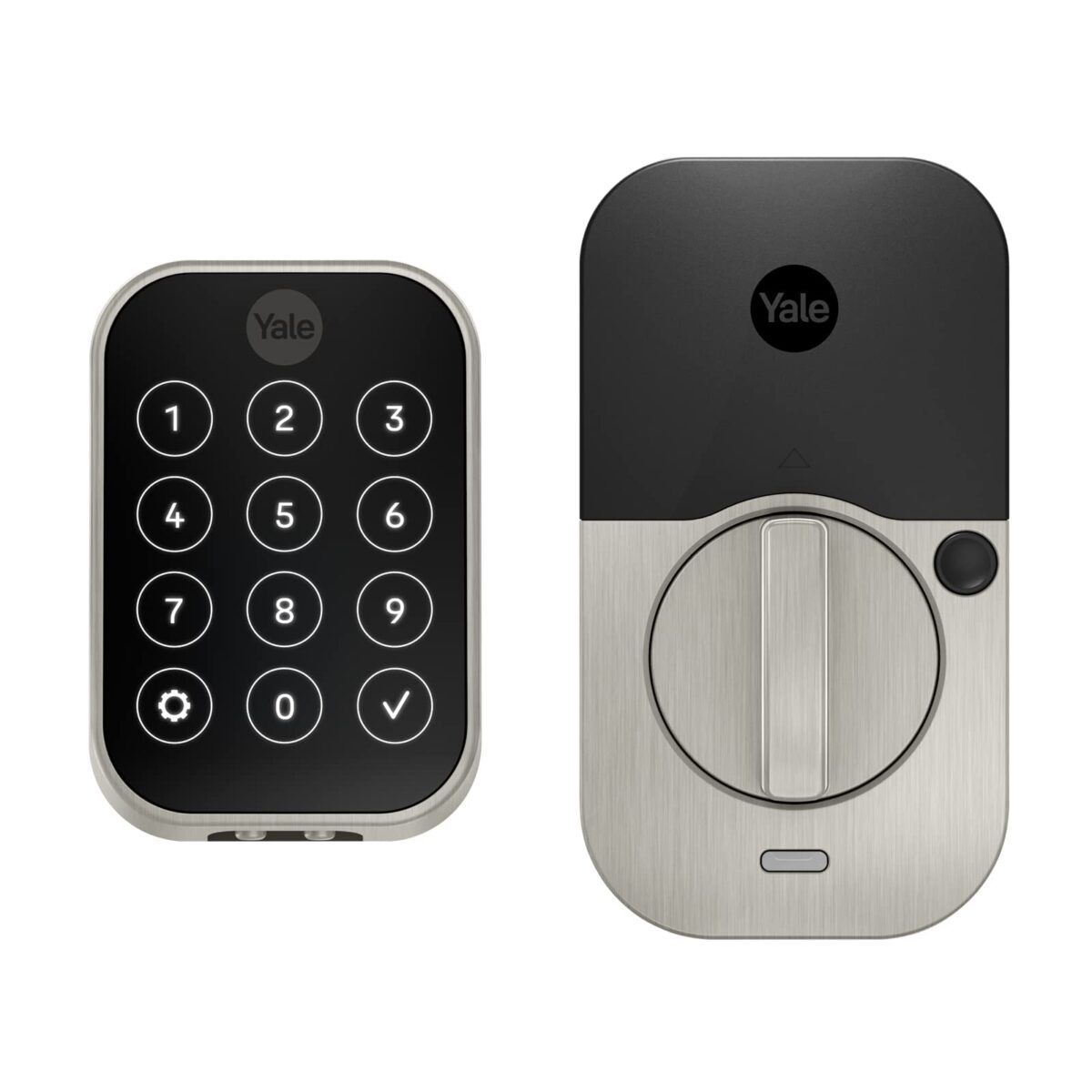
12% Off This Key-Free Touchscreen Lock

Home security just got a major upgrade! This Key-Free Touchscreen Lock from Yale lets you unlock your door with an app, a keypad, or even automatically when you get home. And the best part? It’s 12% off for a quick minute. So snag one now and level up your home’s security!
Say Goodbye to Keys: Yale Assure Lock 2 is Here!
Gone are the days of fumbling for your keys or anxiously wondering if you locked the door. Introducing Yale Assure Lock 2 with Wi-Fi! This key-free touchscreen lock priced at around $245, is your ticket to a stress-free and secure home. Here’s why this lock is a game-changer.
- Unlock your way: With the Yale Access app, keypad, or optional Auto-Unlock, you choose how you want to unlock your door.
- Always locked: With the Auto-Lock feature, you can rest assured knowing your door is locked when it needs to be.
- Control from anywhere: Not home? No problem. Lock and unlock, send entry codes, and more right from the Yale Access App.
- Keep tabs on comings and goings: Easily check who’s home and when, right in the app.
- Hands-free convenience: Let Yale get the door for you as you arrive home with the optional Auto-Unlock feature.
Ready to take your home security to the next level? Don’t miss out, grab your Yale Assure Lock 2 with Wi-Fi today!
Unboxing the Yale Assure Lock 2 with Wi-Fi: First Impressions
As you crack open the box of the Yale Assure Lock 2 with Wi-Fi, you can already feel the excitement building. Finally, a lock that frees you from the hassle of keys! Inside, you’ll find everything you need to secure your home and embrace key-free convenience.
- The star of the show is, of course, the Yale Assure Lock 2 itself. The sleek black touchscreen gives off a modern and sophisticated vibe, instantly elevating your entryway.
- Besides the lock, you’ll also find a handy installation guide. But don’t worry, even if you’re not particularly handy, the step-by-step instructions make it a breeze to set up.
- And let’s not forget about the necessary batteries. The Assure Lock 2 comes with four AA batteries to power your new keyless entry system.
- Last but not least, there’s a small bag containing screws and mounting hardware to ensure a secure installation on your door.
When it comes to first impressions, the Yale Assure Lock 2 with Wi-Fi does not disappoint. The lock exudes quality and durability, with its solid construction and sleek design. It’s clear that this lock means business when it comes to keeping your home secure.
Now, it’s time to bid farewell to keys and embrace the future of home security with the Yale Assure Lock 2 with Wi-Fi!
Deal Alert: Is the Yale Assure Lock 2 with Wi-Fi Worth Your Bucks?
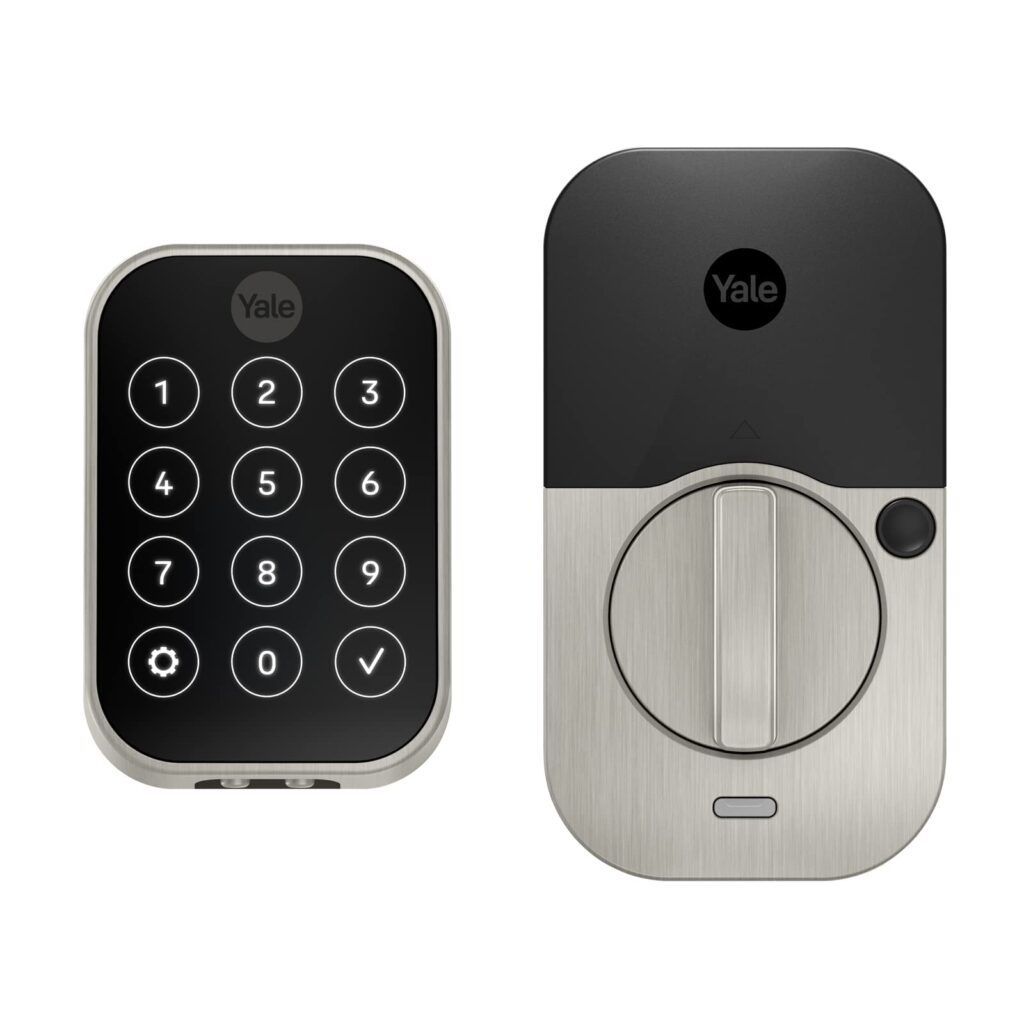
This week, the Yale Assure Lock 2 with Wi-Fi is on sale! With its key-free convenience and remote control capabilities, does it offer enough bang for your buck?
Setting Up the Yale Assure Lock 2 with Wi-Fi: Keyless Convenience Made Easy
Now that you’ve unboxed the Yale Assure Lock 2 with Wi-Fi, it’s time to get it set up and ready to go. Don’t worry, even if you’re not a tech expert, this lock is designed to be user-friendly and straightforward to install.
- Start by removing your existing deadbolt from your door. The Assure Lock 2 is designed to fit standard doors, so it should be a seamless transition.
- Next, grab the installation guide that came in the box. This guide will walk you through the installation process step by step, ensuring a smooth setup.
- Before you start installing the lock, make sure you have four AA batteries on hand. These batteries will power your new keyless entry system.
- Now, it’s time to install the lock. Follow the instructions in the installation guide carefully, making sure to secure the lock firmly to your door.
- Once the lock is installed, you can connect it to your Wi-Fi network. Simply follow the instructions in the guide to connect the lock to your home’s Wi-Fi.
- Download the Yale Access app on your smartphone and create an account. This app will allow you to control and monitor your lock remotely.
- Follow the on-screen instructions in the app to add your lock to your account. Once added, you’ll have full control over your lock, from locking and unlocking remotely to managing access codes.
- Now that your Yale Assure Lock 2 with Wi-Fi is set up and connected, it’s time to enjoy the convenience of keyless entry. Say goodbye to fumbling for keys and hello to a seamless and secure way of accessing your home.
With the Yale Assure Lock 2 with Wi-Fi, setting up a keyless entry system has never been easier. The installation guide and intuitive app make the process simple, even for those who may not be tech-savvy. So why wait? Make your life easier and enhance your home security with the Yale Assure Lock 2 with Wi-Fi today!
How much does Yale Assure Lock 2 with Wi-Fi cost?
We’ve been keeping a close eye on Amazon for the past 30 days, and the average price of the Yale Assure Lock 2 with Wi-Fi is currently $244.99 (as of September 2023). While the list price is $259.99, you might be able to find a better deal or discount.
- List Price: $259.99
- Average Price: $244.99
Pro tip: Before you make your purchase, it’s worth checking for any deals or coupons on Amazon. You never know, you might just save some extra cash! Head over to our secret coupons page to see if there are any discounts available for this awesome lock.
What are customers saying about Yale Assure Lock 2 with Wi-Fi?
Yale Assure Lock 2 (New) with Wi-Fi ; Key-Free Touchscreen in Satin Nickel Ratings
Rated 4.1/5
Based on 523 customer reviews on Amazon.
Customers have provided mixed feedback about the Yale Assure Lock 2 with Wi-Fi. While many appreciate its easy installation and compatibility with smart home automation, some have experienced issues with the lock’s reliability and software.
Here’s what customers are saying:
“Great lock for Smart Home Automation”
-K. Marino
“Easy to use”
-Benjamin K.
“For guys who forget to lock the door”
-Jason L
“HomeKit does work; but software is fickle, making lock unreliable.”
-Bobby
“It’s okay at best but it still looks good!”
-Alex parot 161
“Great smart lock! Smooth and convenient”
-Amazon Customer
“WIFI restriction… should call themselves Bluetooth only..”
-Sung Eun Kim
These reviews highlight the mixed experiences customers have had with the Yale Assure Lock 2 with Wi-Fi. While some appreciate its compatibility with smart home automation and ease of use, others have faced challenges with its reliability and software. It’s important to consider these factors before making a purchase decision.
Unlocking the Features of Yale Assure Lock 2 with Wi-Fi
The Yale Assure Lock 2 with Wi-Fi offers a host of features designed to bring modern convenience to home security. Let’s delve into what makes this product stand out.
Features and Details
What sets the Yale Assure Lock 2 with Wi-Fi apart from its competitors? Let’s take a closer look at its standout features:
- Unlock your way: Whether you prefer using the Yale Access app, keypad, or optional Auto-Unlock feature, this lock gives you the flexibility to choose how you want to unlock your door.
- Always locked: With the Auto-Lock feature, you can have peace of mind knowing that your door is locked when it needs to be. No more worrying about whether you remembered to lock up before leaving.
- Control from anywhere: Even when you’re not at home, you can easily lock and unlock your door, send entry codes to guests, and more through the Yale Access App. Convenience and security are just a tap away.
- Keep tabs on comings and goings: Curious about who’s home? The app allows you to easily check who got home and when. Stay in the know and maintain control over your home’s security.
- Hands-free convenience: With the optional Auto-Unlock feature, you can let Yale get the door for you as you arrive home. No more fumbling for keys or juggling groceries; simply let the lock do the work for you.
These features make the Yale Assure Lock 2 with Wi-Fi a top contender in the smart lock market. Its versatile unlocking options, reliable Auto-Lock feature, remote control capabilities, activity tracking, and hands-free convenience set it apart from its competitors.
Ready to upgrade your home security? Don’t miss out on the deal for the Yale Assure Lock 2 with Wi-Fi and experience the ultimate peace of mind.
Pros and Cons: Yale Assure Lock 2 with Wi-Fi
As with any product, the Yale Assure Lock 2 with Wi-Fi has its strengths and weaknesses. Here are some of the notable pros and cons based on customer reviews and product information:
Pros
- Keyless Convenience: Say goodbye to fumbling for keys. With the Yale Assure Lock 2, you can unlock your door using the Yale Access app, the keypad, or even enable Auto-Unlock for a truly hands-free experience.
- Peace of Mind: The Auto-Lock feature ensures that your door is always locked when it needs to be, providing an extra layer of security for your home.
- Remote Access: Control your lock from anywhere using the Yale Access app. Lock and unlock your door, send entry codes to guests, and keep tabs on who’s coming and going.
- User-Friendly App: The Yale Access app makes it easy to manage your lock and access settings. It provides a centralized hub for all your smart home devices.
- Sleek Design: The Yale Assure Lock 2 features a sleek black touchscreen that adds a modern touch to your entryway, elevating both the style and security of your home.
Cons
- Reliability Issues: Some customers have experienced reliability issues with the lock’s software, leading to occasional connectivity problems and frustration.
- Software Limitations: While the lock is compatible with smart home automation, some users have found the software to be fickle and limiting, impacting its overall functionality.
- Wi-Fi Restrictions: The lock’s Wi-Fi capabilities have received mixed reviews, with some customers experiencing limitations in the range and connectivity of the Wi-Fi feature.
- Additional Accessories: The lock does not come with additional accessories like a keyring or adhesive surface, so you may need to purchase these separately for certain installation scenarios.
Despite these drawbacks, many customers appreciate the convenience and peace of mind provided by the Yale Assure Lock 2 with Wi-Fi. With its keyless entry options, remote access capabilities, and sleek design, it offers a modern and secure solution for your home. Just be aware of potential software and connectivity issues before making your purchase decision.
Final Thoughts: Is the Yale Assure Lock 2 with Wi-Fi Worth It?
The Yale Assure Lock 2 with Wi-Fi offers a convenient and secure solution for your home, but is it worth the investment? Well, it depends on what you’re looking for.
If you’re tired of fumbling for your keys or worrying about whether you locked the door, then this lock is definitely worth considering. With multiple ways to unlock your door, including the Yale Access app and optional Auto-Unlock feature, you can choose the method that suits you best. Plus, the Auto-Lock feature ensures your door is always secure when you need it to be.
One of the standout features of the Yale Assure Lock 2 is its ability to control your lock from anywhere using the Yale Access app. Whether you’re at work or on vacation, you can lock and unlock your door, send entry codes to guests, and keep tabs on who’s coming and going right from your smartphone. It’s a level of convenience that can’t be beaten.
However, it’s important to note that some customers have reported issues with the lock’s reliability and software. While these instances seem to be in the minority, it’s something to consider before making your purchase.
Overall, if you’re ready to say goodbye to keys and embrace the future of home security, the Yale Assure Lock 2 with Wi-Fi is a solid choice. With its sleek design, easy installation, and smart features, it’s a lock that means business when it comes to keeping your home secure. Just be sure to weigh the pros and cons and consider your specific needs before making the final decision.
So, what are you waiting for? Grab your own Yale Assure Lock 2 with Wi-Fi today and take your home security to the next level!
A Blend of Style and Security: Yale Assure Lock 2 with Wi-Fi
Combining a sleek design with advanced features, the Yale Assure Lock 2 with Wi-Fi promises to transform the way you secure your home. But are the perks worth overcoming potential software hiccups?
Frequently Asked Questions (FAQ)
Is the Yale Assure Lock 2 with Wi-Fi compatible with my smartphone?
Yes, the Yale Assure Lock 2 with Wi-Fi is compatible with both iOS and Android smartphones. You can control and monitor the lock remotely using the Yale Access app.
Does the Yale Assure Lock 2 with Wi-Fi work with voice assistants like Alexa or Google Assistant?
Yes, the Yale Assure Lock 2 with Wi-Fi is compatible with Amazon Alexa, Google Assistant, and Siri. You can use voice commands to lock and unlock your door, check the lock status, and more.
.Can I still use a physical key with the Yale Assure Lock 2 with Wi-Fi?
Yes, the Yale Assure Lock 2 with Wi-Fi comes with a key override option. You can still use a physical key to unlock your door if needed.
.How long do the batteries last in the Yale Assure Lock 2 with Wi-Fi?
The batteries in the Yale Assure Lock 2 with Wi-Fi typically last for about one year with normal usage. You will receive a low battery notification when it’s time to replace them.
Can I give temporary access codes to guests or service providers?
Yes, you can easily create and manage temporary access codes for guests or service providers through the Yale Access app. This allows you to grant access for a specific period of time and revoke it when needed.